> ## Documentation Index
> Fetch the complete documentation index at: https://hacktronai-docs-changelog-feature-backfill.mintlify.site/llms.txt
> Use this file to discover all available pages before exploring further.
# Quickstart
> Prepare scope, estimate credits, and start a white-box pentest.
Use this guide to prepare scope and start a White-box Pentest from the Hacktron
dashboard.
## Prerequisites
Before you start, make sure the organization has:
* A connected repository or an uploaded archive to assess
* The branch or commit you want Hacktron to use
* Any target URLs that should be tested, such as staging or production URLs
* Authentication instructions for protected areas, if the application requires
sign-in
* Enough Whitebox Scan credits, or an organization owner who can add a payment
method and buy credits
Connect GitHub, GitHub Enterprise Server, or GitLab before creating a pentest.
## Create the pentest
In the Hacktron dashboard, open the Whitebox Scans area and create a new
scan.
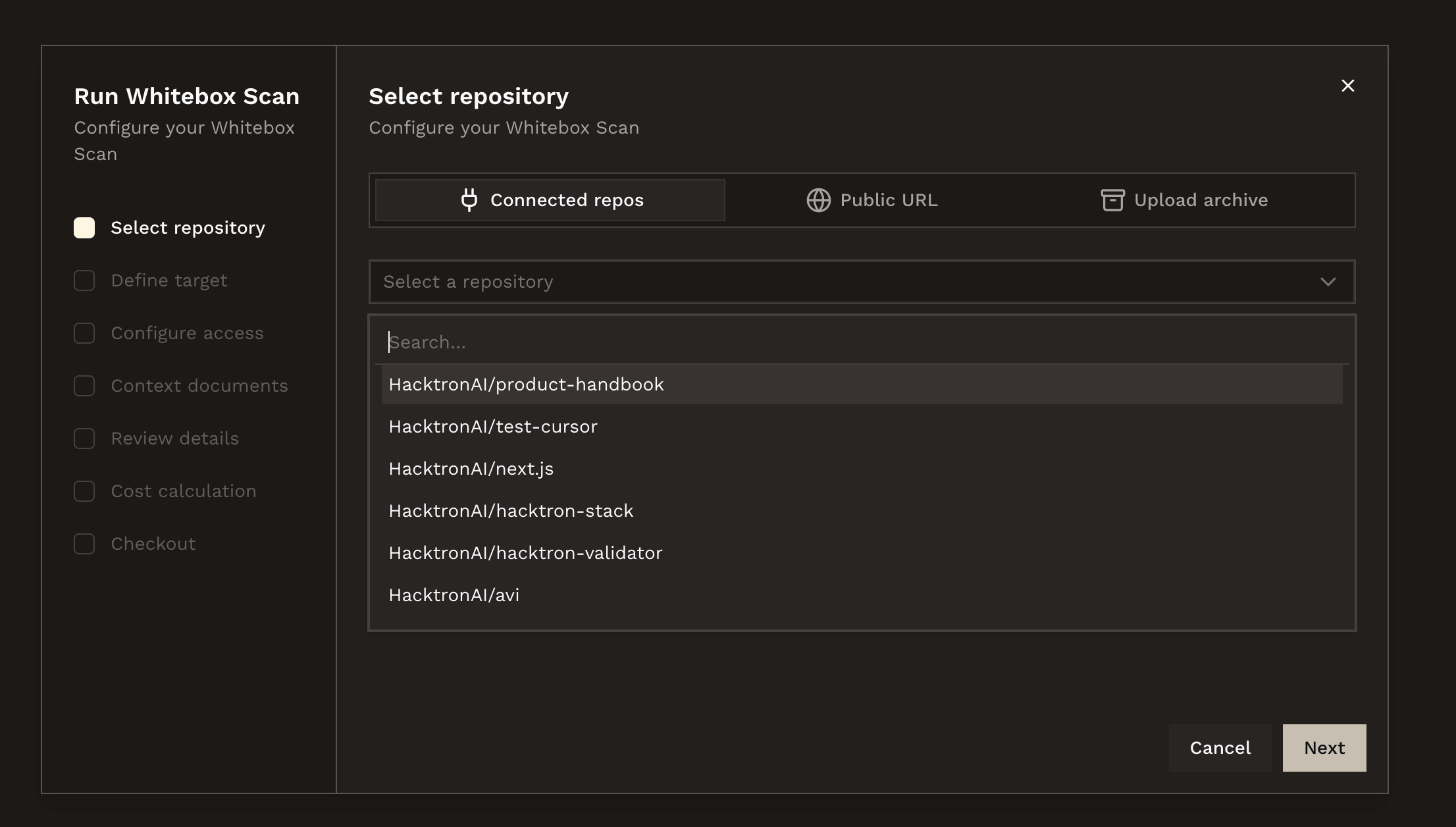
 Select the main repository and branch for the assessment. Add related
repositories if the application spans multiple services.
Select the main repository and branch for the assessment. Add related
repositories if the application spans multiple services.
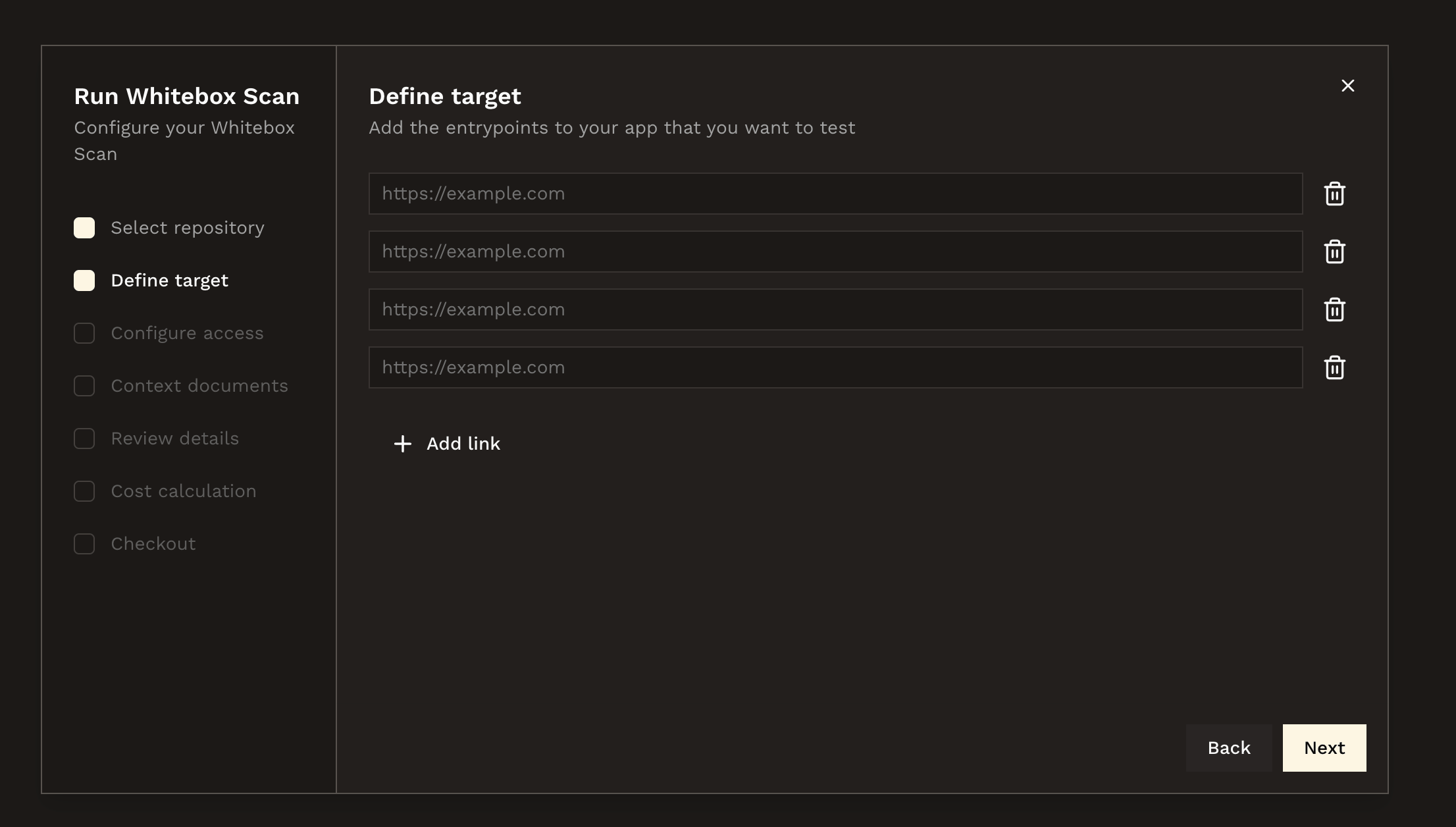
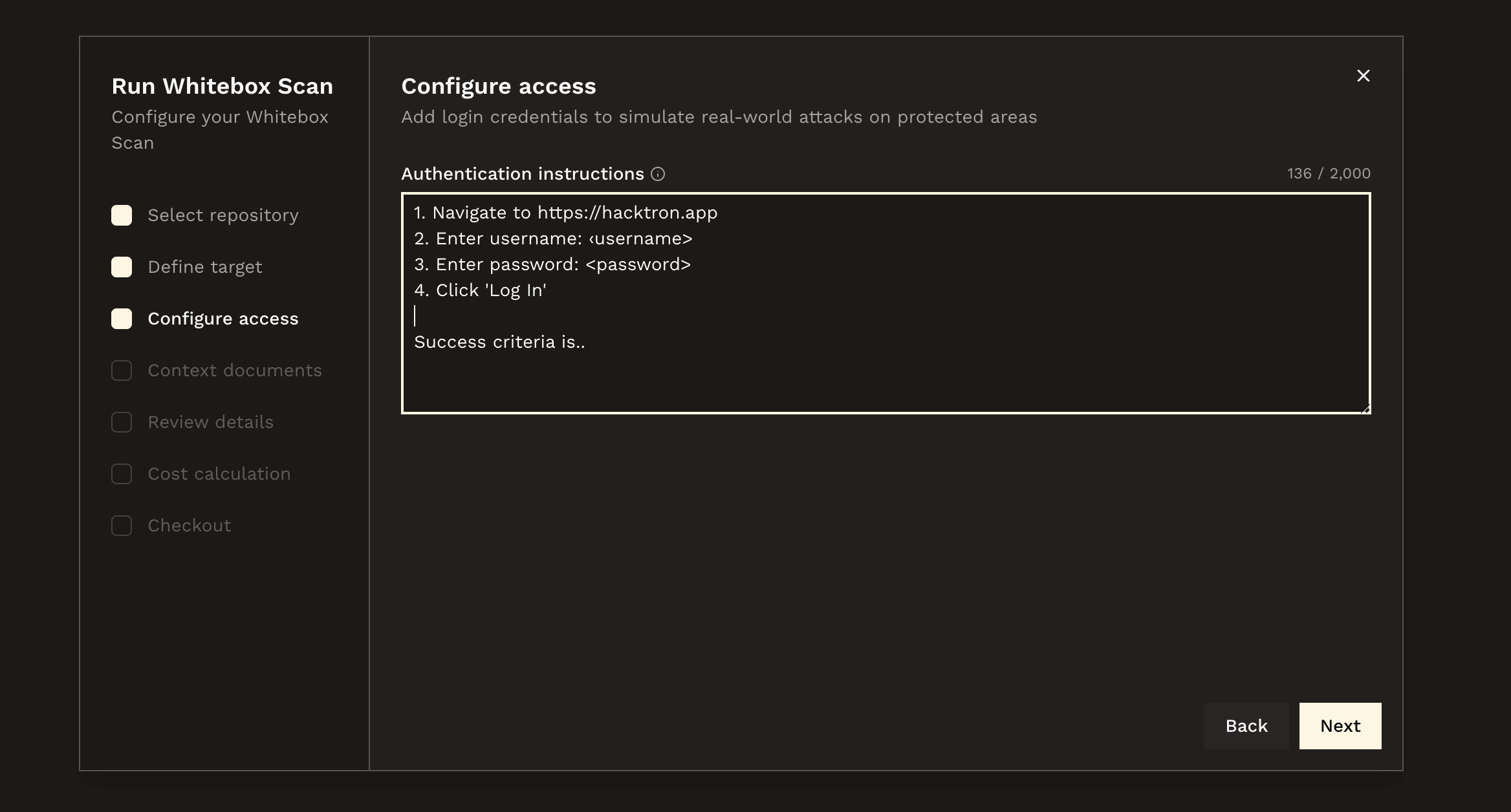
 Add target URLs, login steps, test credentials, areas to emphasize, and any
exclusions. Keep credentials scoped to a test account where possible.
Add target URLs, login steps, test credentials, areas to emphasize, and any
exclusions. Keep credentials scoped to a test account where possible.
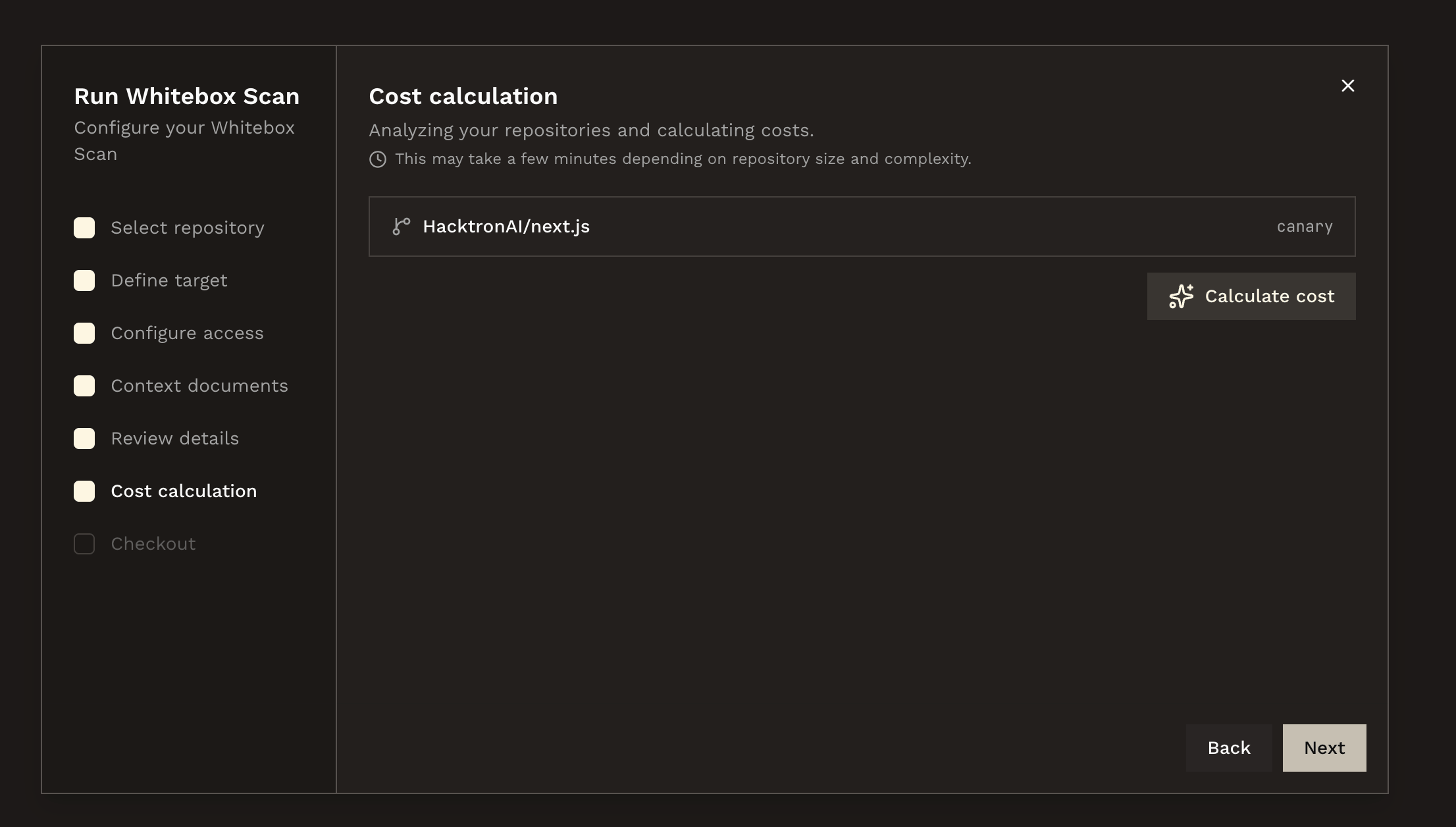
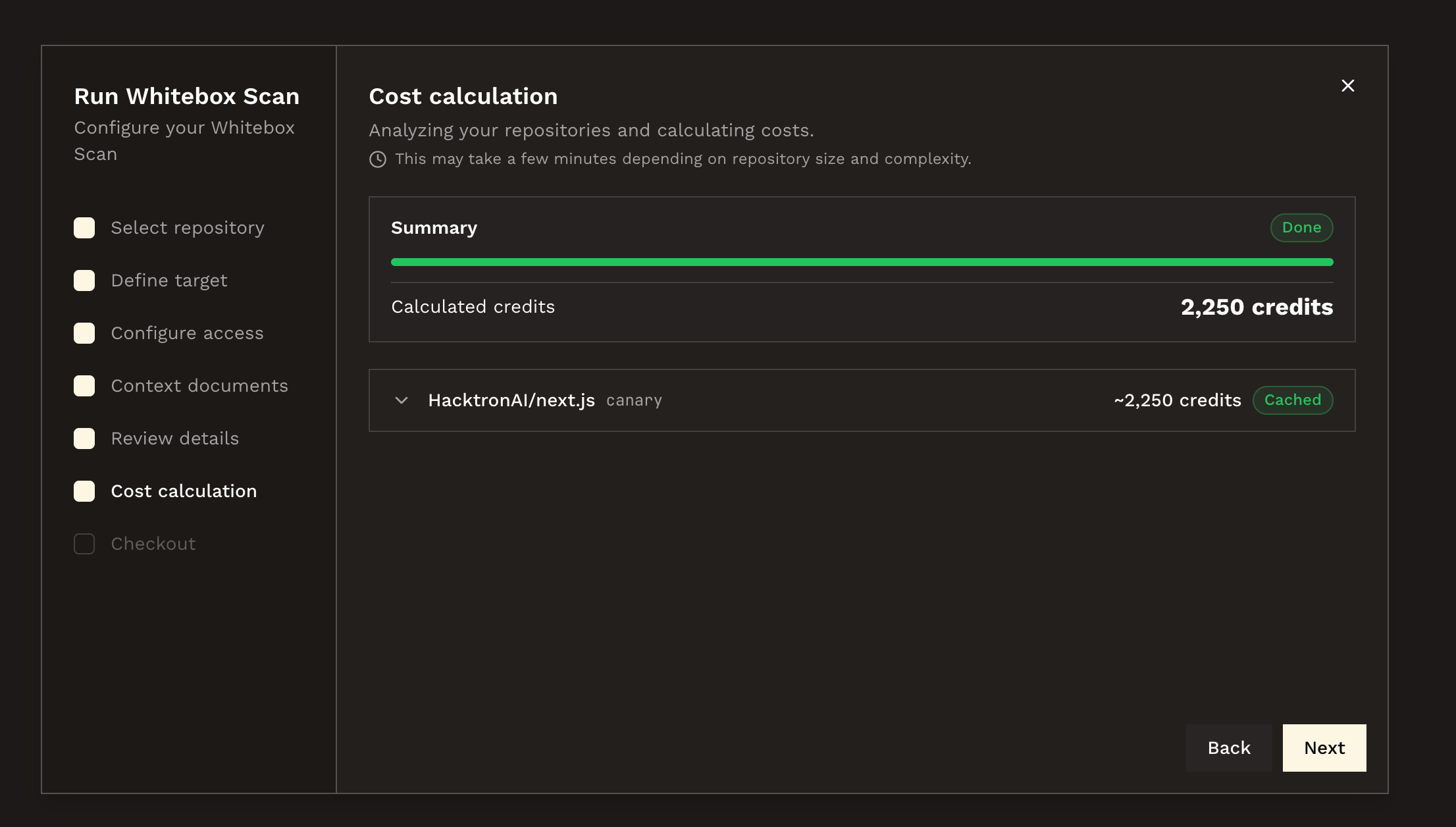
 Run the cost estimate and wait for it to complete. Hacktron estimates the
credit cost from the selected repositories and scope before the scan can
start.
Run the cost estimate and wait for it to complete. Hacktron estimates the
credit cost from the selected repositories and scope before the scan can
start.
 Review the scope and estimated credit cost. When the run starts, Hacktron
deducts the estimated credits from the organization's Whitebox Scan credit
balance. If the balance is too low, an owner can buy credits during
checkout.
Review the scope and estimated credit cost. When the run starts, Hacktron
deducts the estimated credits from the organization's Whitebox Scan credit
balance. If the balance is too low, an owner can buy credits during
checkout.
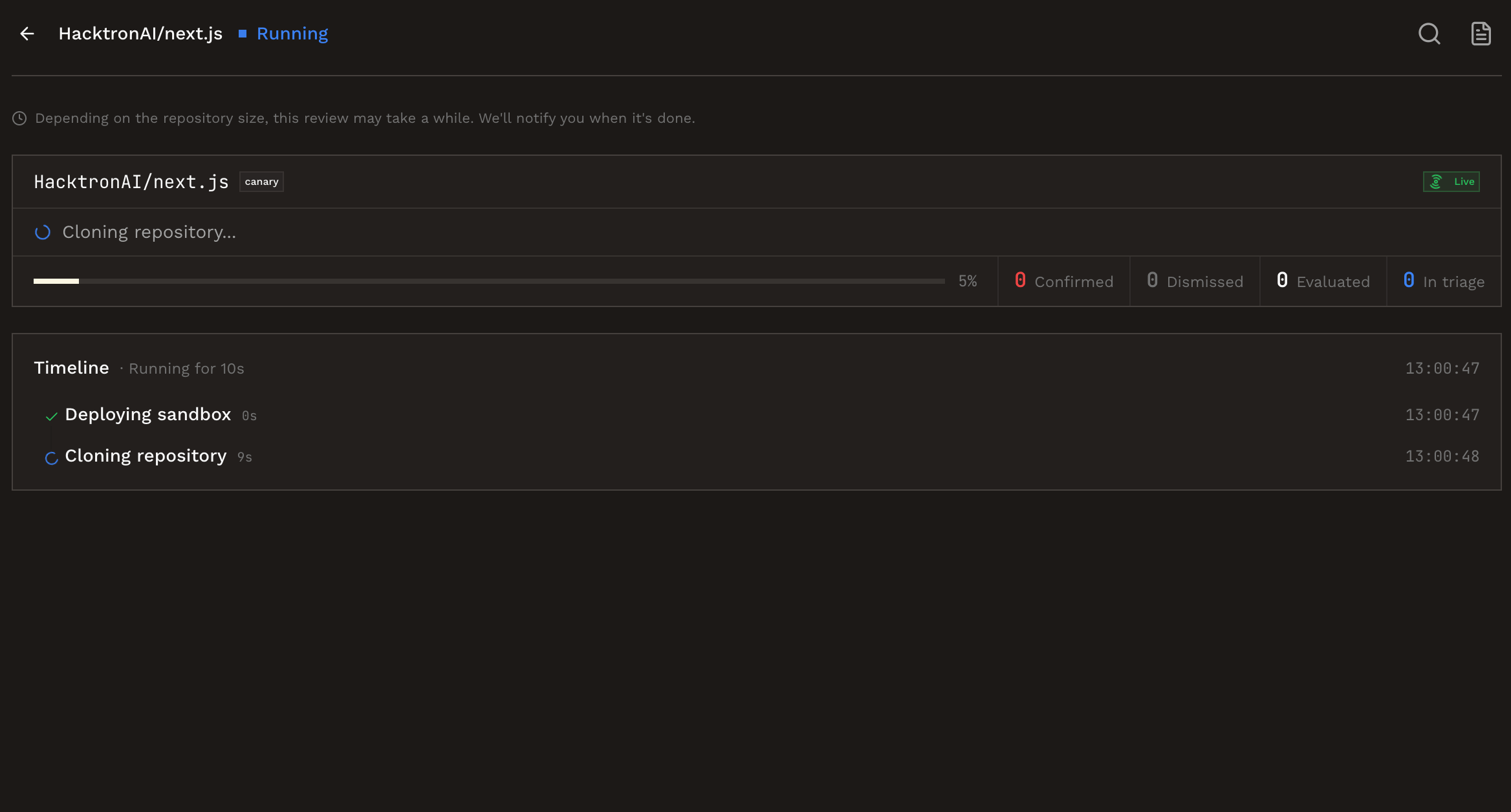
 Watch the run status in the dashboard. When the scan completes, review
findings and export the output needed for remediation or audit evidence.
Watch the run status in the dashboard. When the scan completes, review
findings and export the output needed for remediation or audit evidence.
 ## Scope checklist
| Item | What to provide |
| ------------------- | ---------------------------------------------------------------------------------- |
| Repository | Primary repository URL, branch, and any related repositories. |
| Application targets | Staging, production, API, admin, or tenant-specific URLs in scope. |
| Authentication | Test credentials, SSO notes, MFA bypass instructions, or invite steps. |
| Sensitive areas | Auth, billing, permissions, file upload, webhooks, AI agents, or admin paths. |
| Exclusions | Systems, data, tenants, destructive actions, or rate limits that are out of scope. |
| Context documents | Architecture notes, threat models, API specs, or prior pentest reports. |
Do not provide personal user credentials or production secrets. Use dedicated
test accounts and revoke them after the assessment.
## API option
You can also start Whitebox Scans from the REST API. The API follows the
same structure as the dashboard flow: create a cost estimation first, wait for a
completed or partial estimate with credits, then start the scan with the same
repositories and branches.
Estimate the credit cost for one or more repositories.
Start a Whitebox Scan after the cost estimate is ready.
## Next steps
Understand balances, purchases, deductions, and refunds.
## Scope checklist
| Item | What to provide |
| ------------------- | ---------------------------------------------------------------------------------- |
| Repository | Primary repository URL, branch, and any related repositories. |
| Application targets | Staging, production, API, admin, or tenant-specific URLs in scope. |
| Authentication | Test credentials, SSO notes, MFA bypass instructions, or invite steps. |
| Sensitive areas | Auth, billing, permissions, file upload, webhooks, AI agents, or admin paths. |
| Exclusions | Systems, data, tenants, destructive actions, or rate limits that are out of scope. |
| Context documents | Architecture notes, threat models, API specs, or prior pentest reports. |
Do not provide personal user credentials or production secrets. Use dedicated
test accounts and revoke them after the assessment.
## API option
You can also start Whitebox Scans from the REST API. The API follows the
same structure as the dashboard flow: create a cost estimation first, wait for a
completed or partial estimate with credits, then start the scan with the same
repositories and branches.
Estimate the credit cost for one or more repositories.
Start a Whitebox Scan after the cost estimate is ready.
## Next steps
Understand balances, purchases, deductions, and refunds.